NOTE the following configuration applies to the default skin ("Elastic"), the configuration may vary depending on the selected skin.
How to verify if the spam filter is enabled in your mailbox?
- Open a web browser and go to the website address: https://poczta.agh.edu.pl.
- Log in to your email account using your login and password.

Check the default Spam Assassin filter
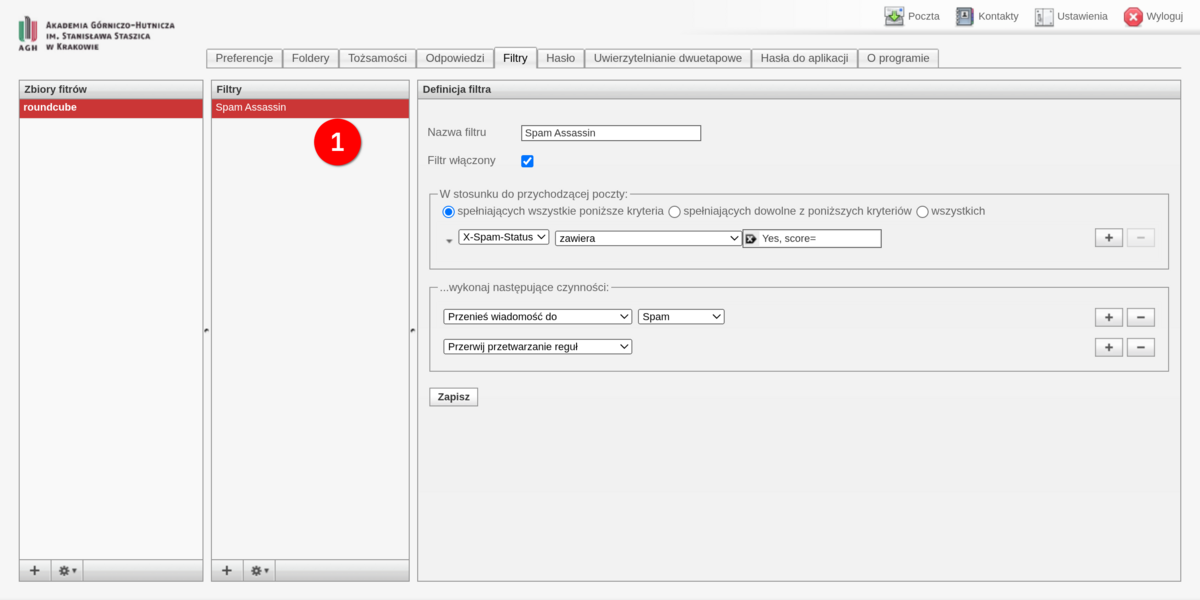
- In the "Filters" section, check if a filter named "Spam Assassin" with the default configuration is created by default.
- If the "Spam Assassin" filter is present, it means that the anti-spam filter is enabled.
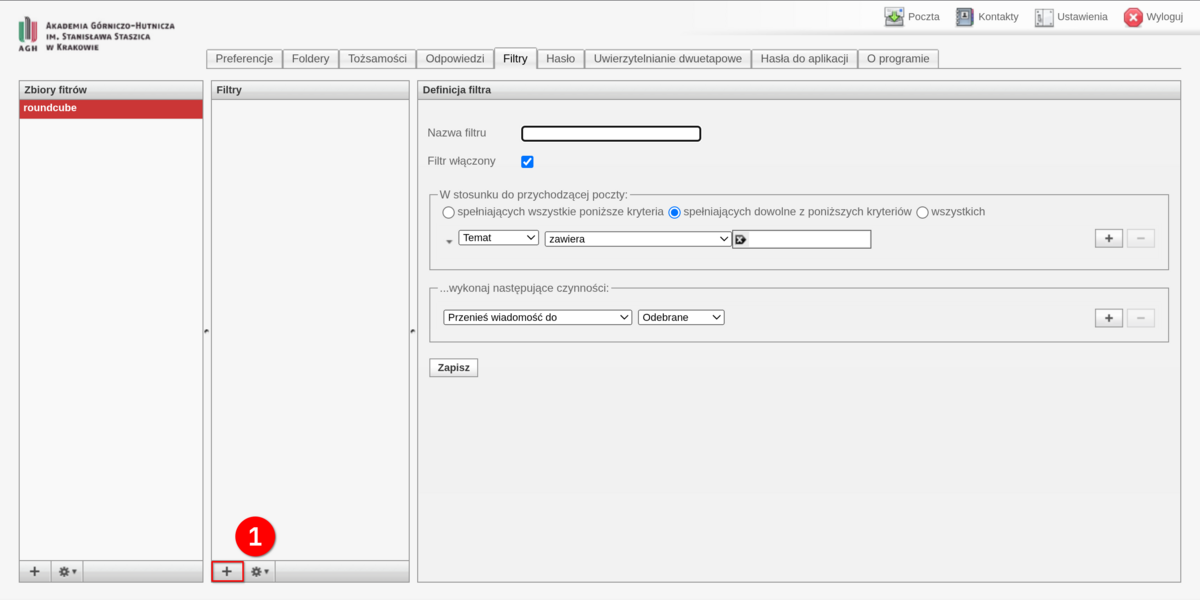
- If the default filter is not present in the mailbox, it can be added manually.